
Apple Pay certificate creation
Create Apple Pay payment processing and merchant identity certificates, then export the PEM files required for decryption and merchant sessions.
Payment Processing Certificate
- Go to the Apple Pay merchant ID management page
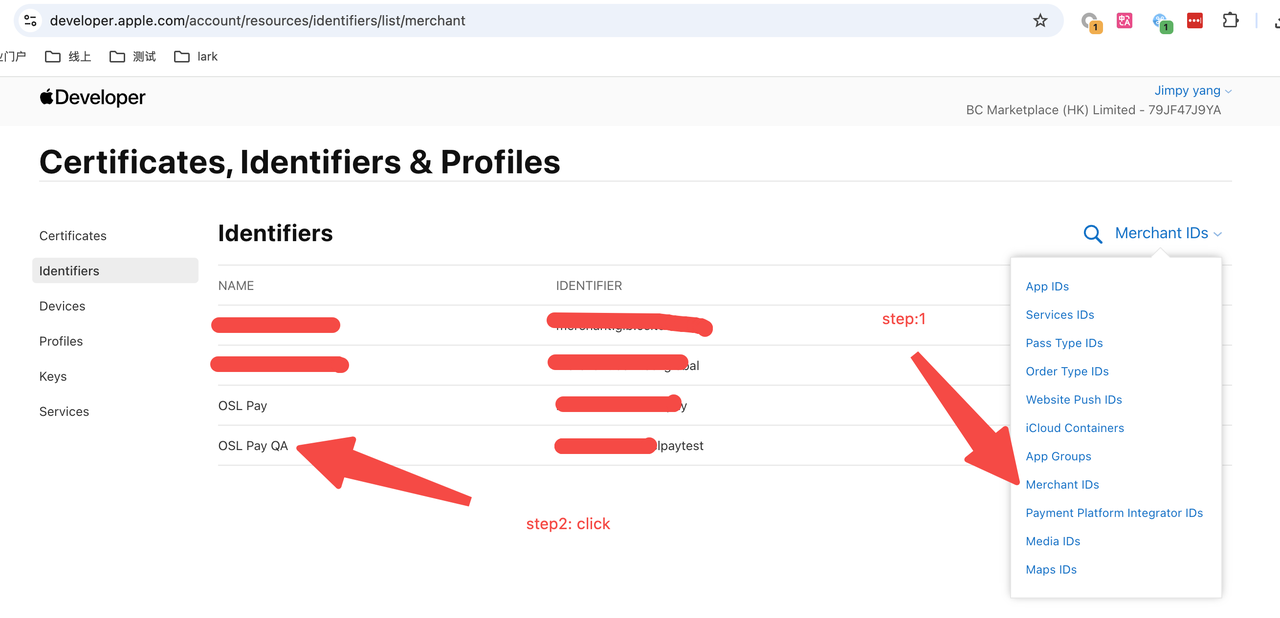
- Click to create the payment certificate
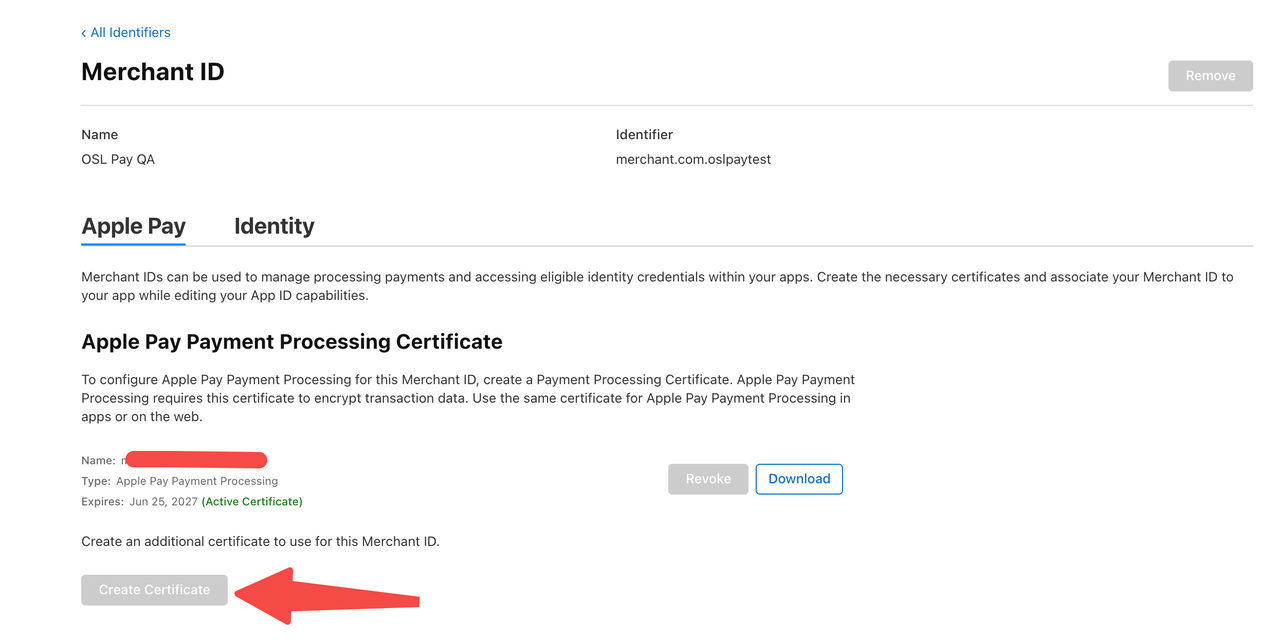
- Create on computer:
CertificateSigningRequest.certSigningRequestfile
Official Apple Pay certificate application documentation
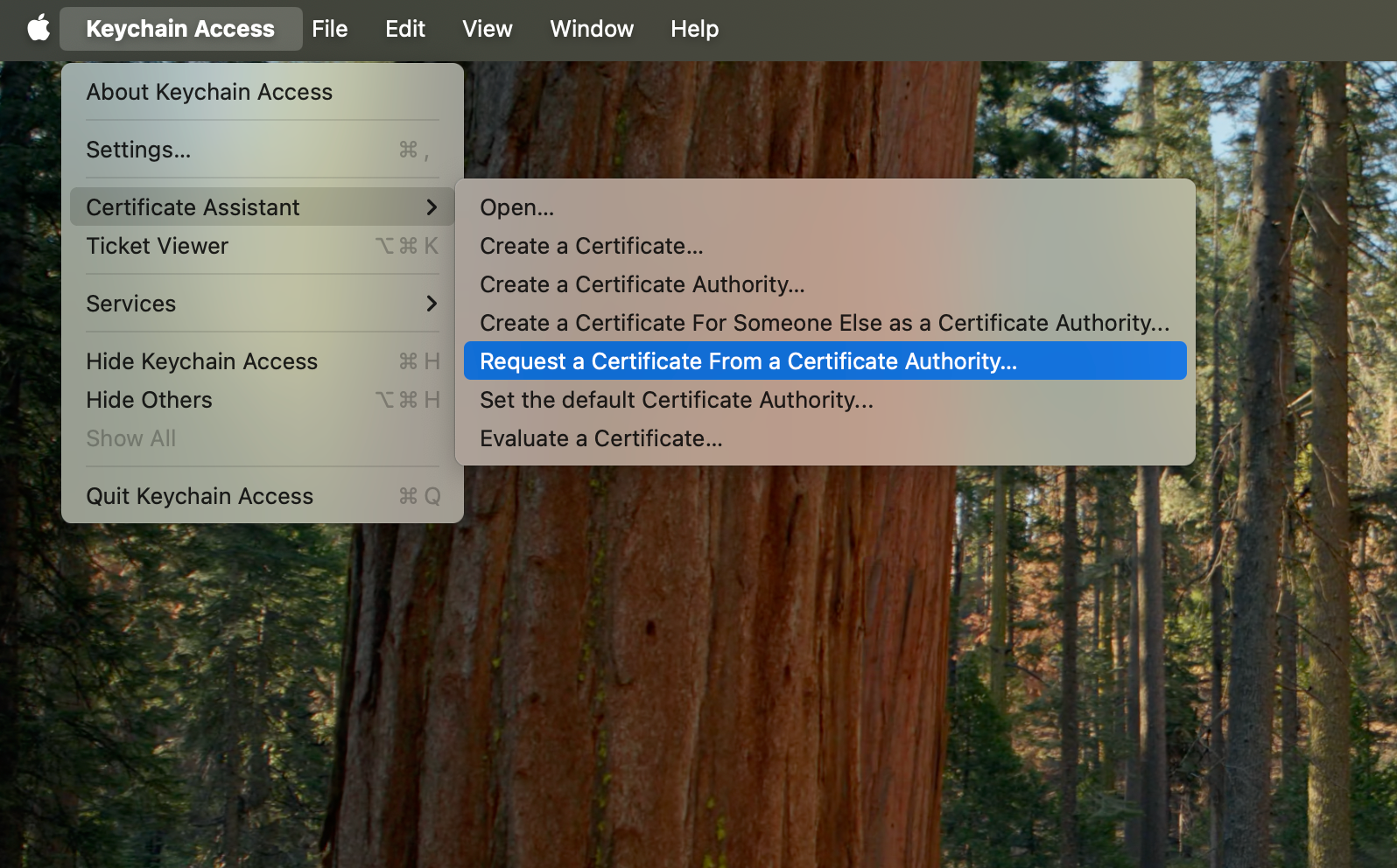
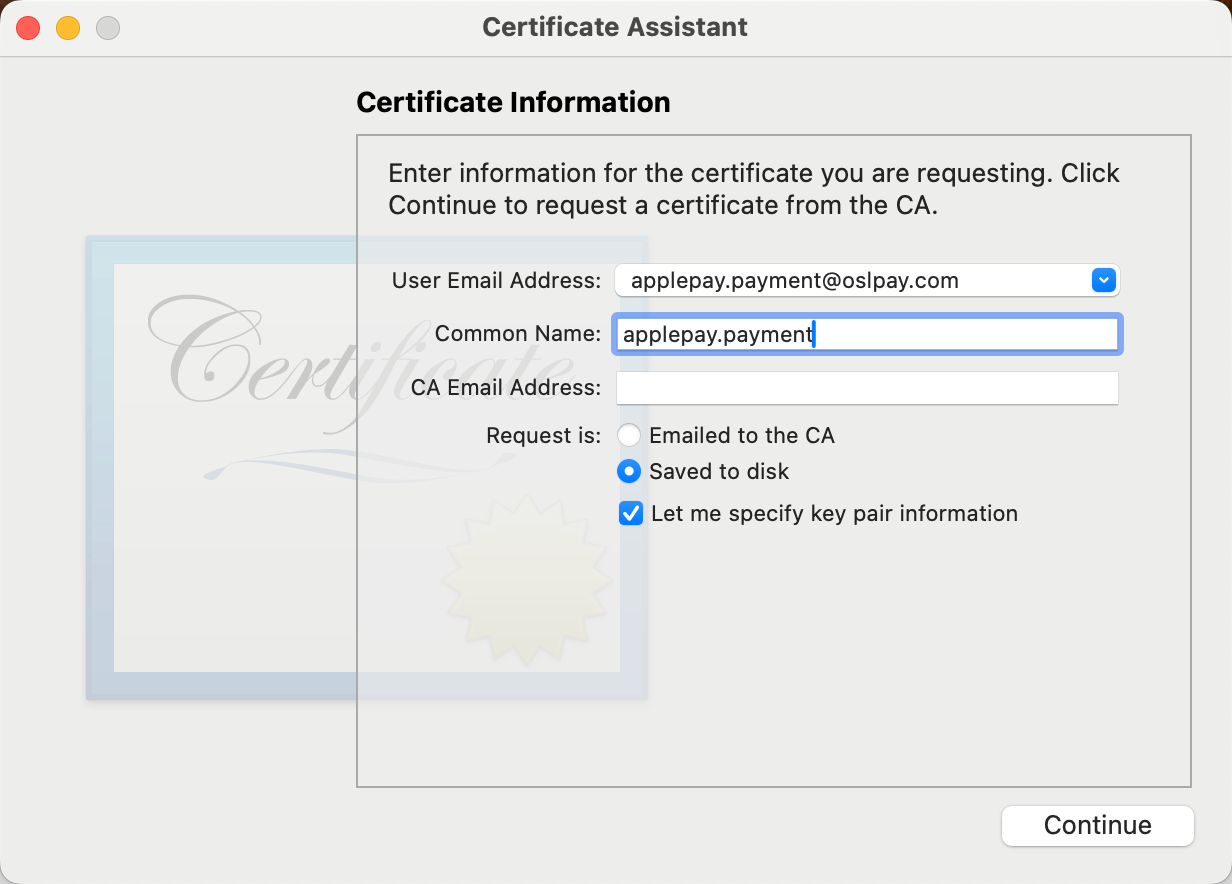
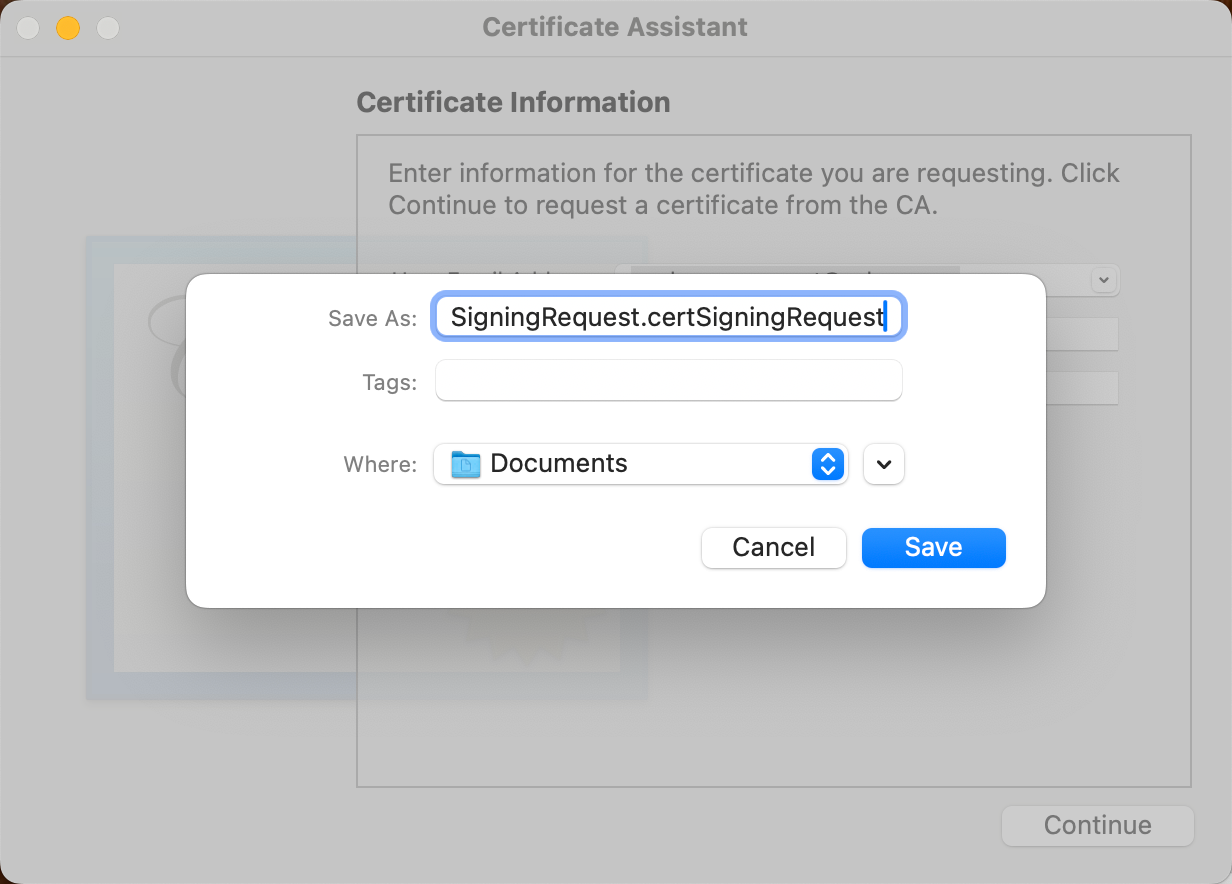
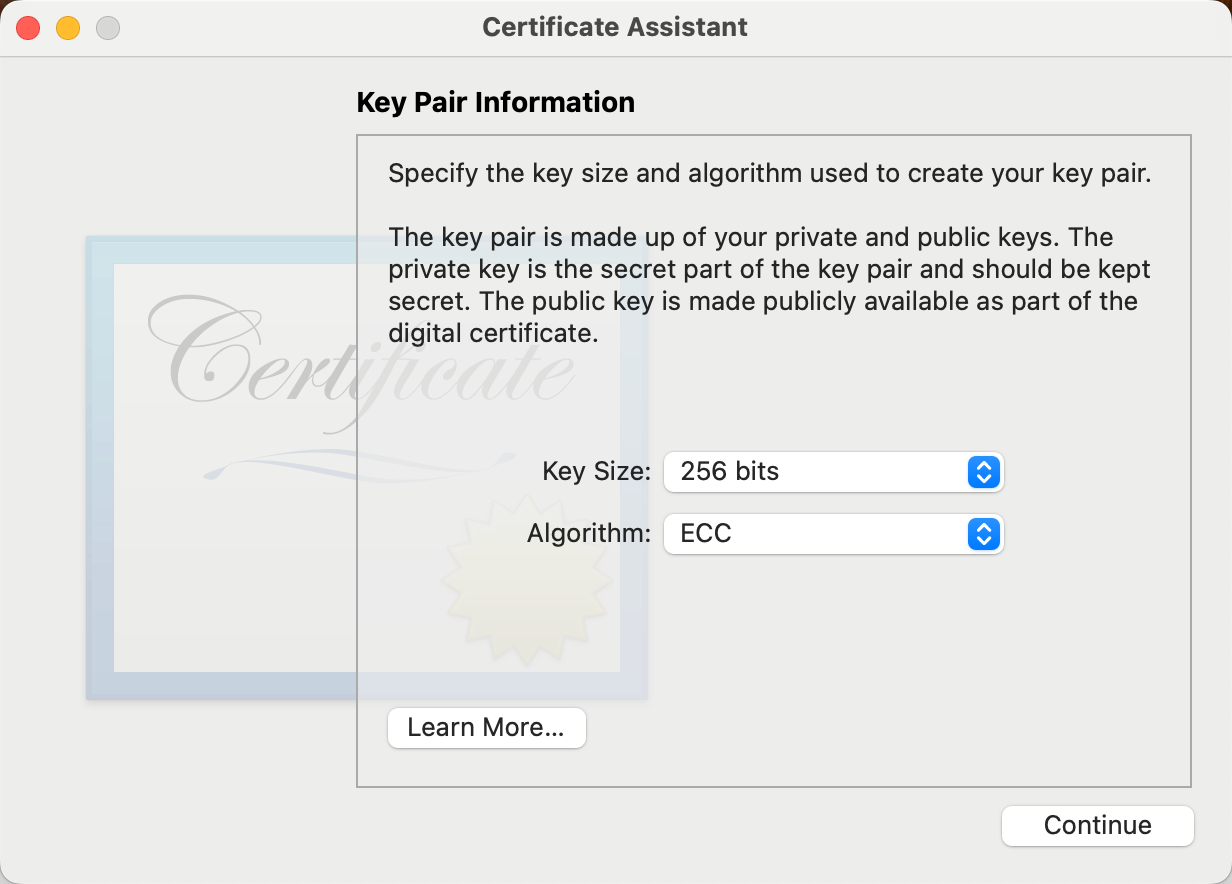
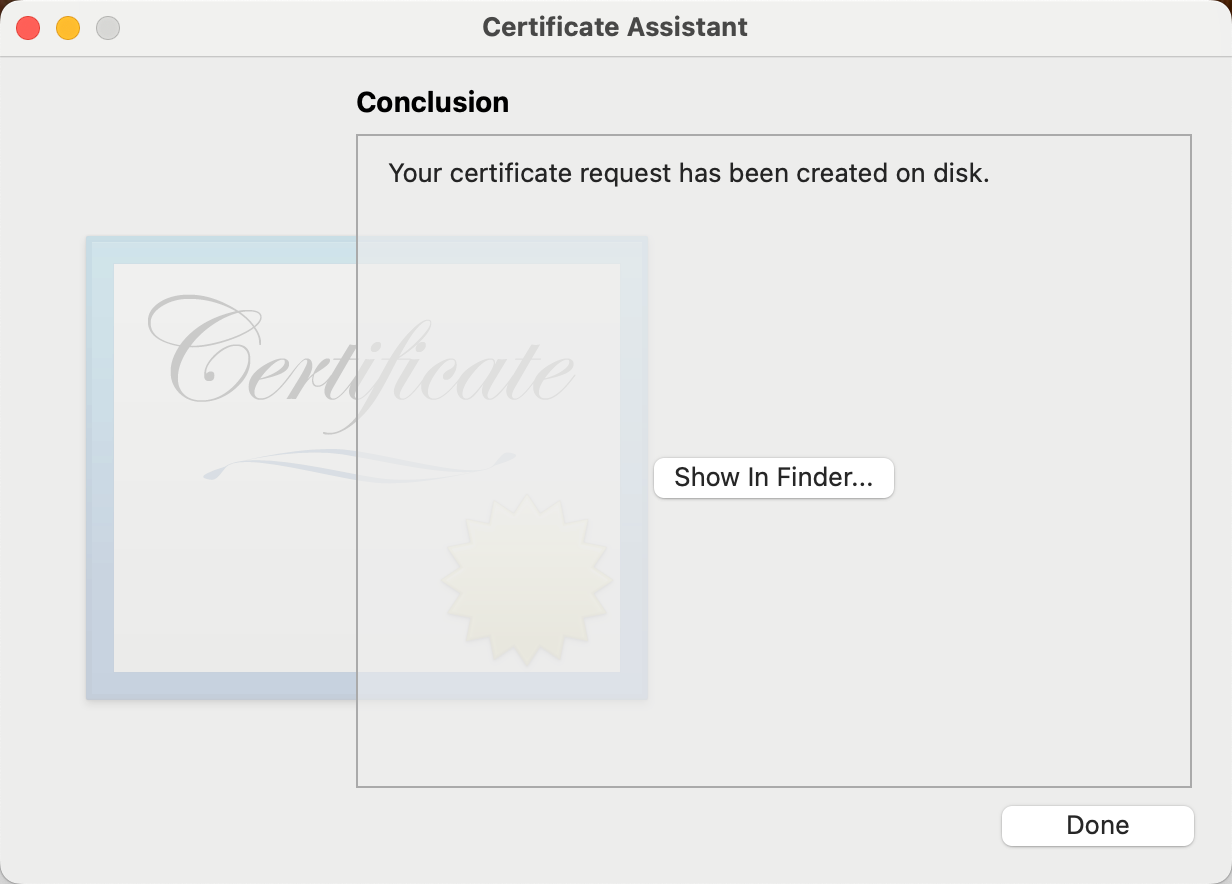
-
Select the
CertificateSigningRequest.certSigningRequestcertificate created in the previous step and upload it to Apple Pay -
Download the
payment.cerfile from Apple Pay and convert it into thepayment_certificate.pemfile. This file is the certificate required for decryption.
openssl x509 -inform der -in payment.cer -out payment_certificate.pem-
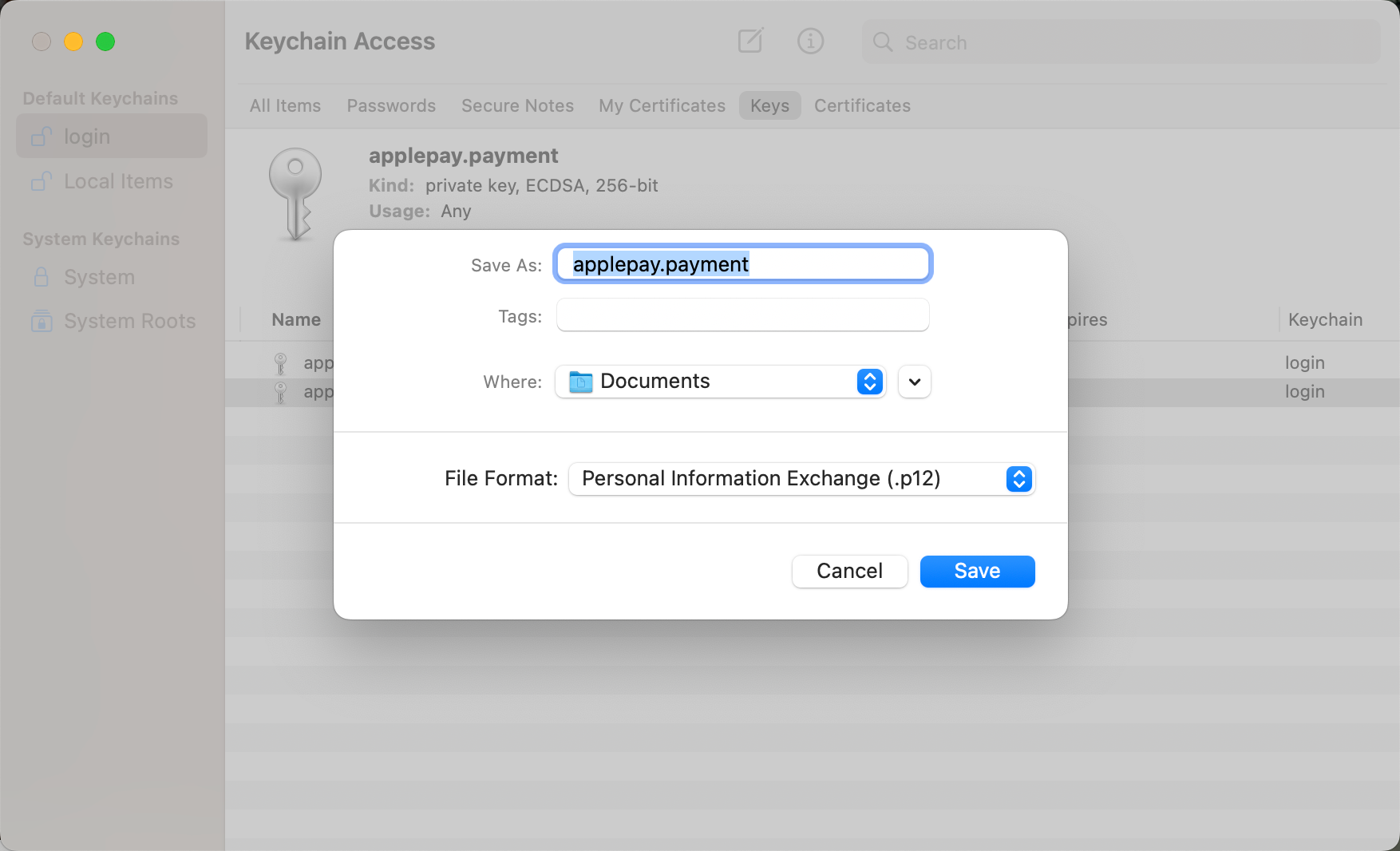
Export the
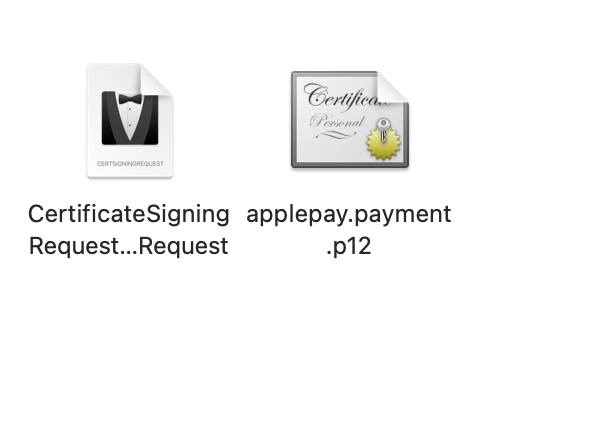
paymet.p12file on the computer and convert it into thepayment_privatekey.pemfile. This file is the private key required for decryption.-
Export the
paymet.p12file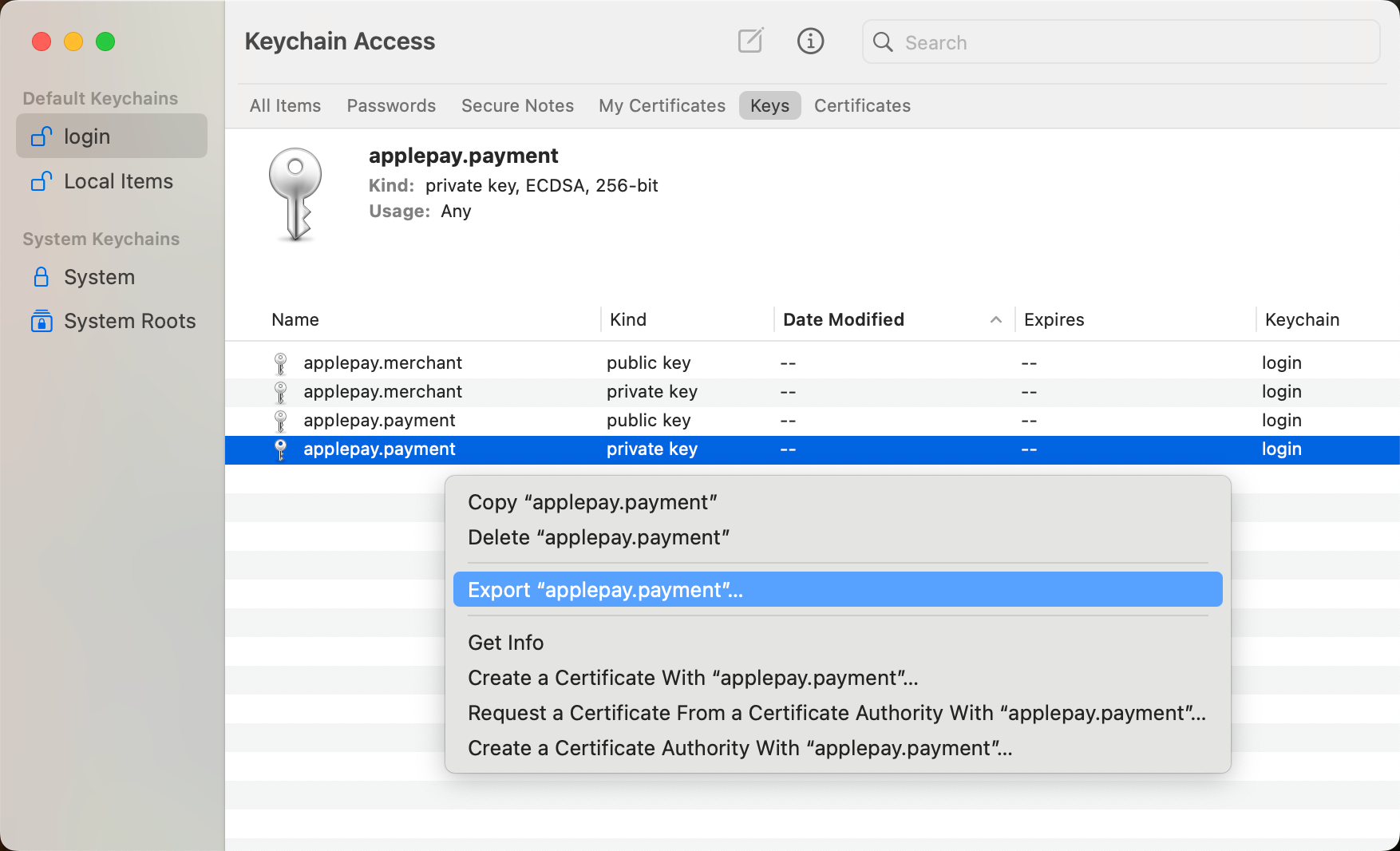
-
Retrieve the
payment_privatekey.pemfile from theapplepay.paymet.p12fileopenssl pkcs12 -in applepay.payment.p12 -nocerts -nodes -out payment_privatekey.pem
-
Merchant Identity Certificate
Required for Apple Pay on the Web only. This certificate authenticates your merchant session with Apple's servers. The process is similar to the Payment Processing Certificate, with the following key differences:
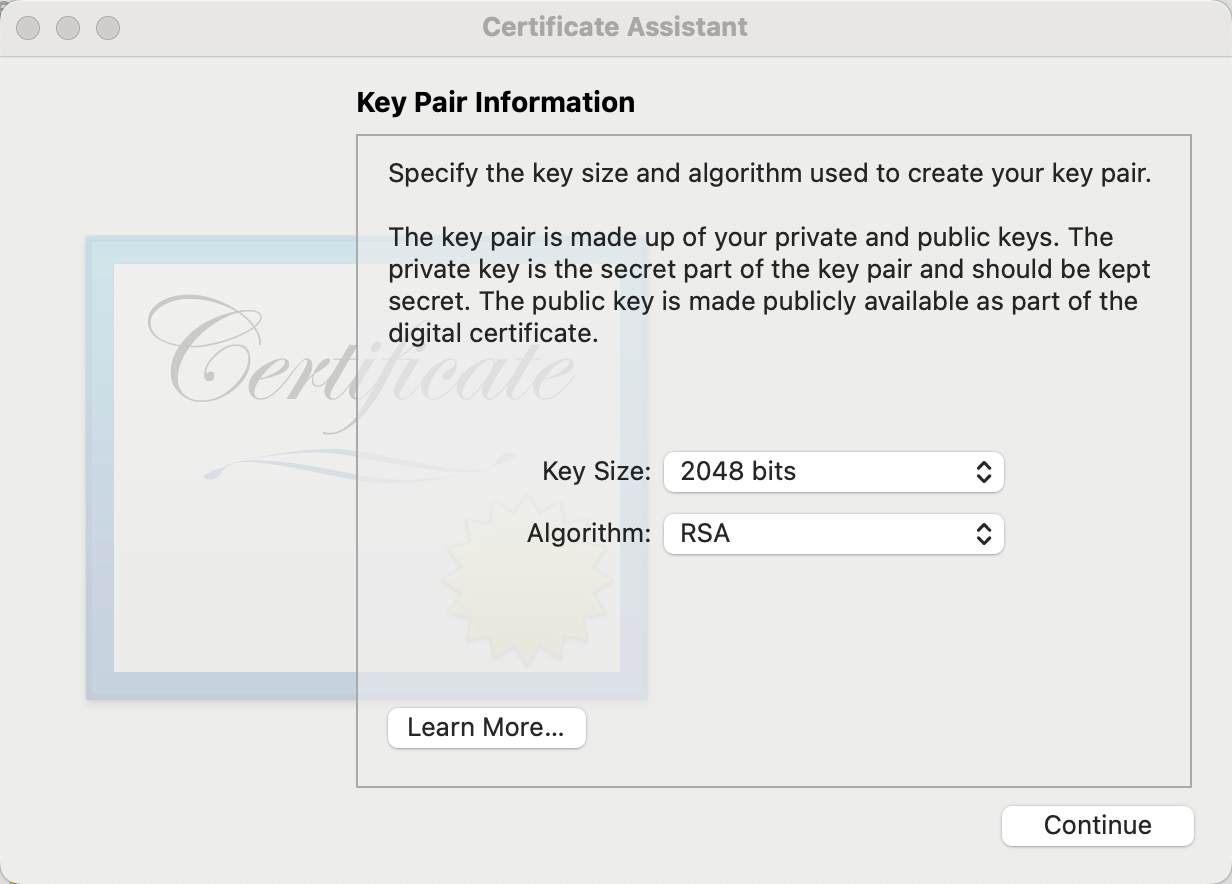
- When creating the
CertificateSigningRequest, the Key Pair must be set to RSA and 2048 bits.
- Create this via the button under the Merchant Identity Certificate section in the Apple Pay Merchant ID settings.
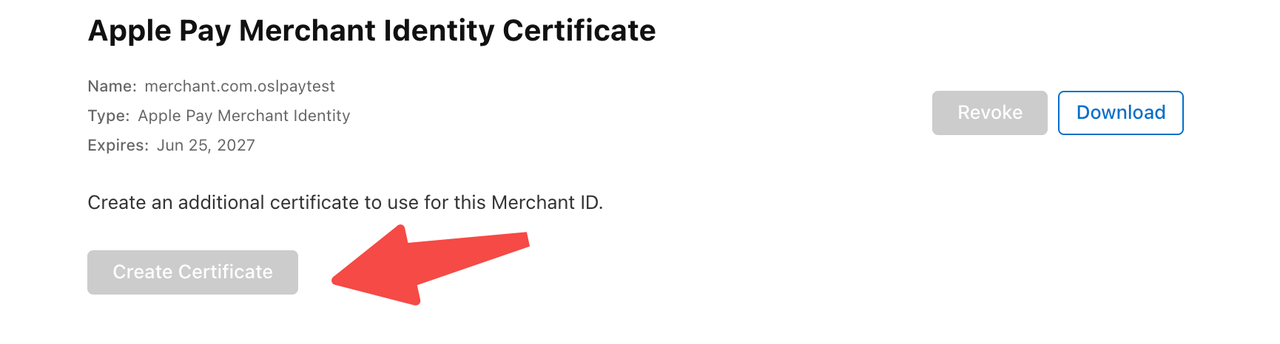
- Download/export the file: Download the
merchant.cerfile from Apple Pay and convert it into themerchant_certificate.pemfile. This file is the certificate required to get the payment-session.
openssl x509 -inform der -in merchant.cer -out merchant_certificate.pem- Export the
applepay.merchant.p12file on the computer and convert it into themerchant_privatekey.pemfile. This file is the private key required to get the payment-session.
openssl pkcs12 -in applepay.merchant.p12 -nocerts -nodes -out merchant_privatekey.pemTo ensure that the test and production environments are independent and easier to manage and troubleshoot, it is recommended to create separate merchant IDs and certificates for the sandbox and production environments when integrating Apple Pay. The specific requirements are as follows:
Merchant ID and certificate isolation
- The sandbox environment should use a separate merchant ID and payment certificate for testing transactions.
- The production environment should use the official merchant ID and payment certificate for real transactions.
Domain binding
- The sandbox merchant ID should only be bound to the test environment domain (e.g.,
sandbox.example.com).- The production merchant ID should only be bound to the production environment domain (e.g.,
www.example.com).Creation process
- The process for creating the merchant ID, certificate, and domain verification is identical for both the sandbox and production environments.
- Simply select the target environment in the Apple Developer console to configure each.
By using two sets of independent configurations, you can effectively avoid test transactions from affecting the production system and simplify certificate updates and troubleshooting.
Updated 7 months ago